Print prices
The Price lists tab is the place where we can set up different price groups for the available print formats and photo products. This allows us to offer different prices depending on the customer.
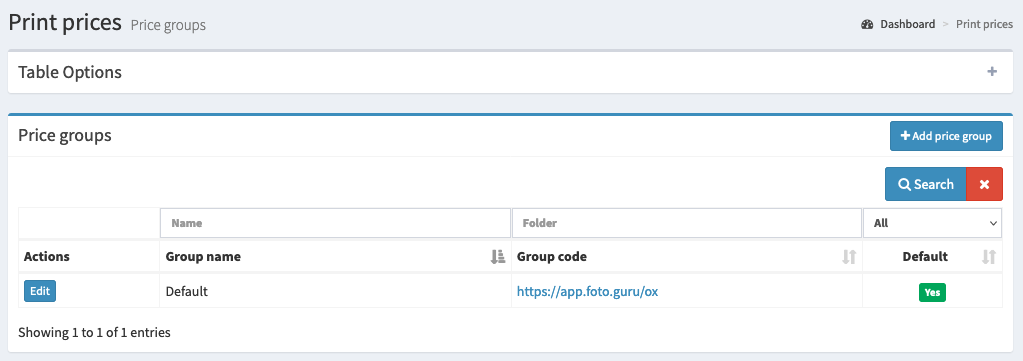
The basic information we can find here is:
Price group name
Group code (the URL of the price list)
Information on whether the price list is used by default
Editing a price group
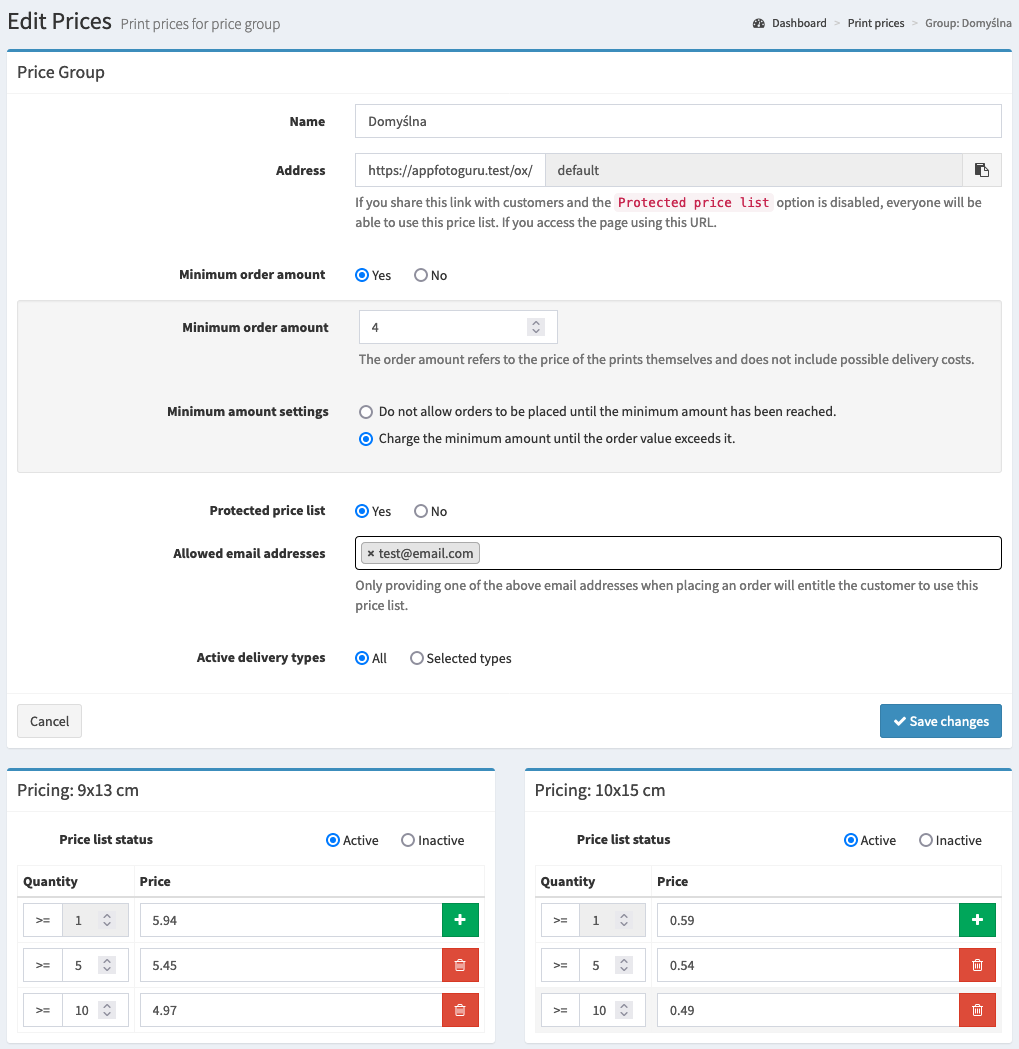
Available options
Here is a list of the available options with a short explanation.
- Name
The name of the price group.
- Address
The address of the price group. To use a price list that is not the default one, this URL must be used. This will apply the defined prices for print formats and products. The button next to the field copies the whole address to the clipboard.
- Minimum order amount
Determines whether orders will have a minimum amount. Further settings are related to this.
- Minimum amount
Determines the minimum price. The minimum price only applies to the value of the prints in the order - any delivery costs, the percentage added to the payment amount, or the photo correction service are not included. The value cannot be empty if the minimum order amount is enabled.
- Minimum amount settings
Do not allow the order to be placed until the minimum amount is reached- the value of the prints must be higher than the minimum amount.Charge the minimum amount until the order value exceeds it- until the value of the prints exceeds the minimum amount, the customer will have to pay the minimum price.
- Protected price list
Determines whether the price list is protected or available to anyone who uses the appropriate URL.
- Allowed email addresses
Determines the email addresses that are entitled to use the price list. As long as the price list is protected.
- Active delivery types
Determines which delivery methods will be available with this price list. By default, all active delivery methods are available, but sometimes we may want to narrow the choice. Then we can select only those delivery methods that should be active for this price list.
Price lists
Below the group settings there are price lists for all print formats and - if you use photo products - for all products, grouped by category.
- Price list status
Determines whether a given print format (or product) will be available for this price group.
- Quantity / Price
Determines the price list depending on the number of prints (or products) ordered. Further quantity thresholds are added with the green plus button.
Note
In order to save changes, you must enter prices for all print formats and products - even those that are inactive for the given group.
Tip
The same price list can also be edited from the edit page of a specific print format or product - there you can see the prices for all price groups at once.
Adding a price group
Adding a new price group works in the same way as editing an existing group.