Buying a licence
Buying or renewing a Foto.Guru licence is very simple and comes down to two basic steps: providing your company details and choosing a licence.
You get to the purchase page from the Licences tab by clicking the Extend, Extend PRO or Buy button next to the relevant item.
Tip
If you buy/renew the PRO version, you do not need to buy the BASIC version separately, because all its functions are already included in the PRO version.
Your company details
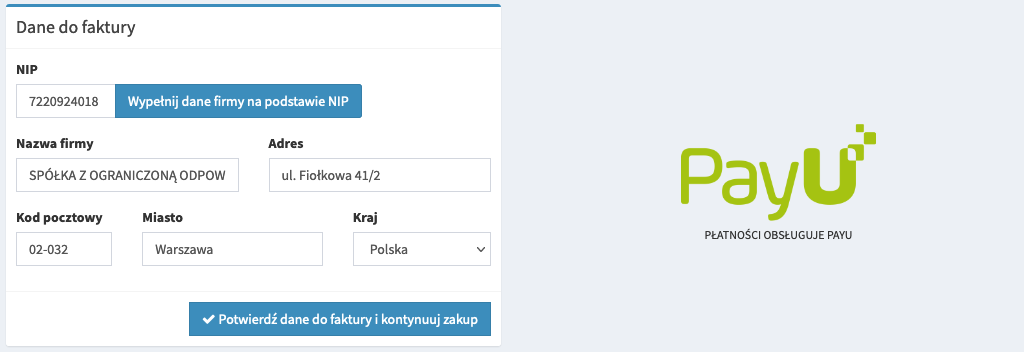
First, you need to provide the current details of the company for which the licence is to be purchased and to which the invoice will be issued.
Just enter the VAT ID and click Fill in company data based on tax id - the remaining fields
will be filled in automatically. Before going further, it is worth checking that the data is correct.
Note
If you have more than one licence, at the top of the page you will see information about which licence the purchase concerns. Pay attention to this so that you do not renew the wrong licence.
Choosing the licence period
Note that the longer the licence period, the lower the monthly price will be. This way you can save up to 40% of the normal monthly price over 1 year.
BASIC version
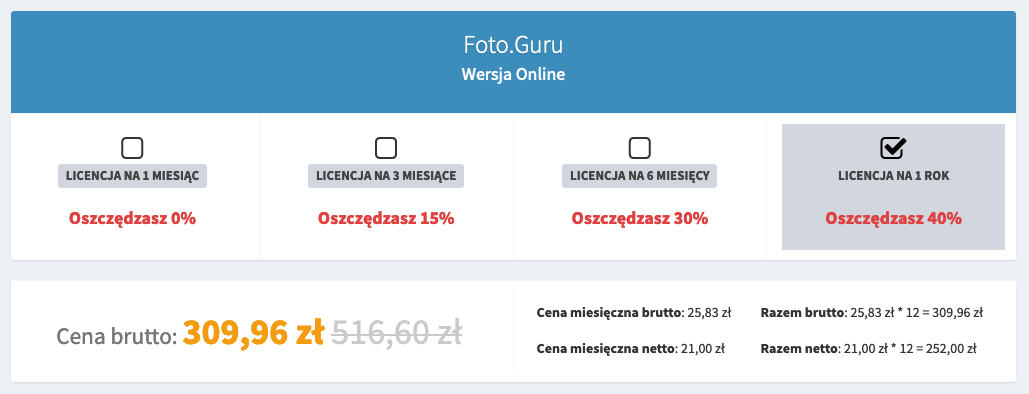
You can read about the differences between the BASIC and PRO versions on our website.
PRO version
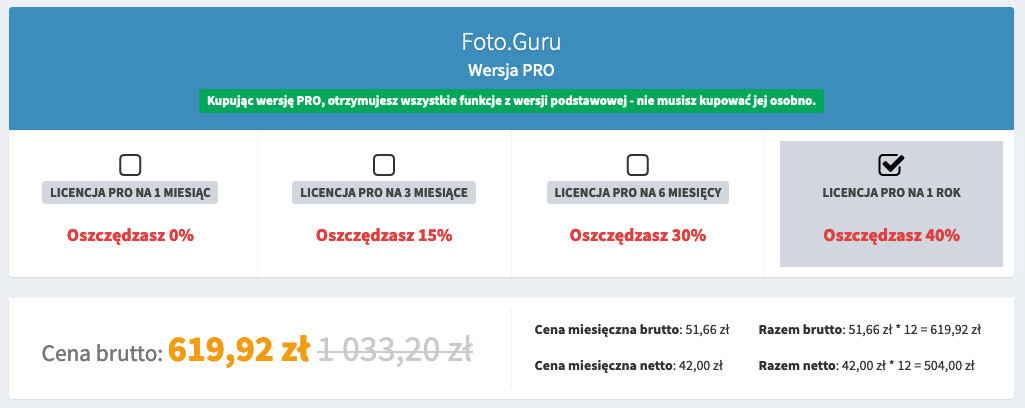
When you buy the PRO version, you get all the functions from the BASIC version.
You can read about the differences between the BASIC and PRO versions on our website.
Additional options
Regardless of the BASIC and PRO versions, we also offer additional options that extend the possibilities of Foto.Guru.
Photo products
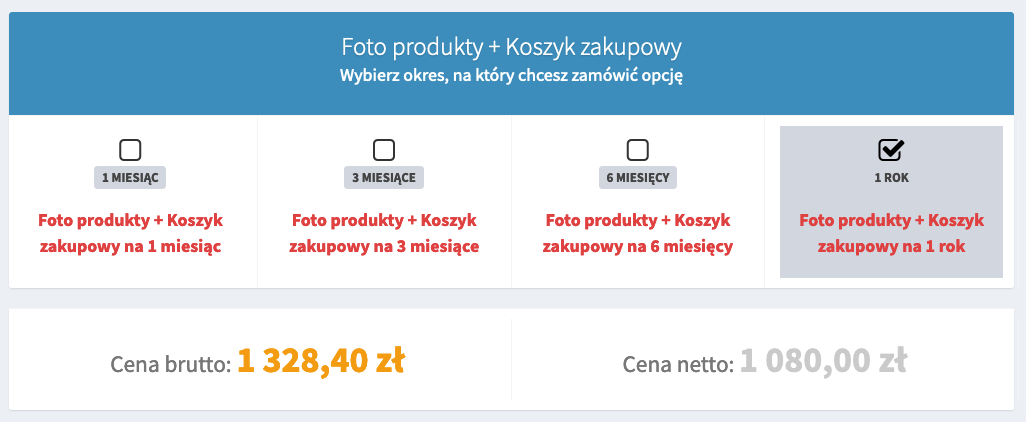
This feature enables the sale of photo products (e.g. mugs, calendars) and allows customers to buy many different products within the same order (shopping basket).
Buying the licence

The last step is choosing the payment method. We can make a quick online payment (handled by PayU) - then the payment will be confirmed instantly and your licence activated immediately.
The second option is a traditional bank transfer. In this case, you have to take into account that account activation may take up to 2 business days, because your payment must be booked manually.