InPost Parcel Lockers
The InPost Parcel Lockers tab allows basic integration with InPost Parcel Lockers (Paczkomaty) in terms of paying for parcels and generating labels.
Note
InPost Parcel Lockers are a Polish pick-up point network. The integration works both with online payment and payment on collection. The minimum data we need to collect from customers in order to generate a label is an email address and a Polish phone number. Orders are only fulfilled within Poland.
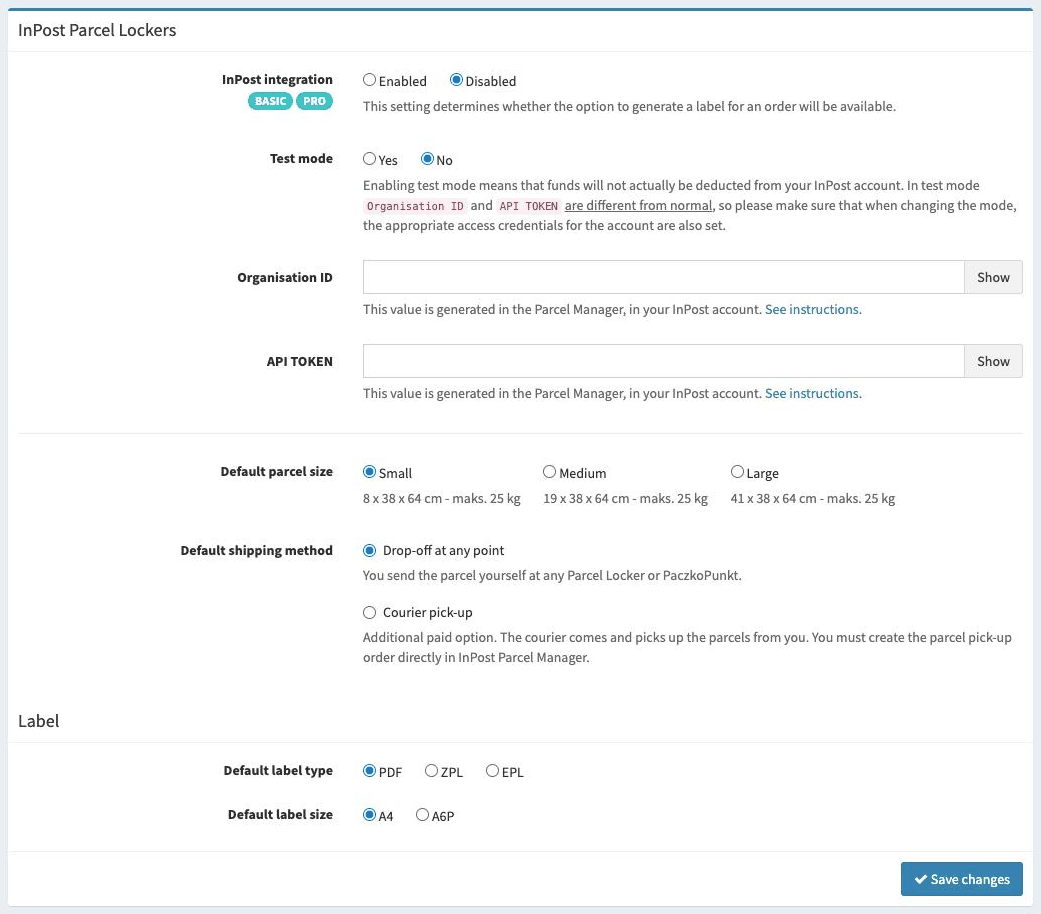
Available options
Here is a list of the available options with a short explanation.
- InPost integration
Determines whether the InPost integration is active. If it is active, an additional button will appear on the order list, which allows you to generate a label for the given order. For this to be possible, you must have an active BASIC or PRO account, and the delivery method selected by the customer must be InPost Parcel Locker.
- Test mode
Determines whether the integration works in test mode or not. In test mode you can test the operation of the whole system, but this requires a special account, which can be created here: https://sandbox-manager.paczkomaty.pl/
Note
If you use a test account, remember that the access data from the “normal account” will not work (and vice versa) - keep this in mind.
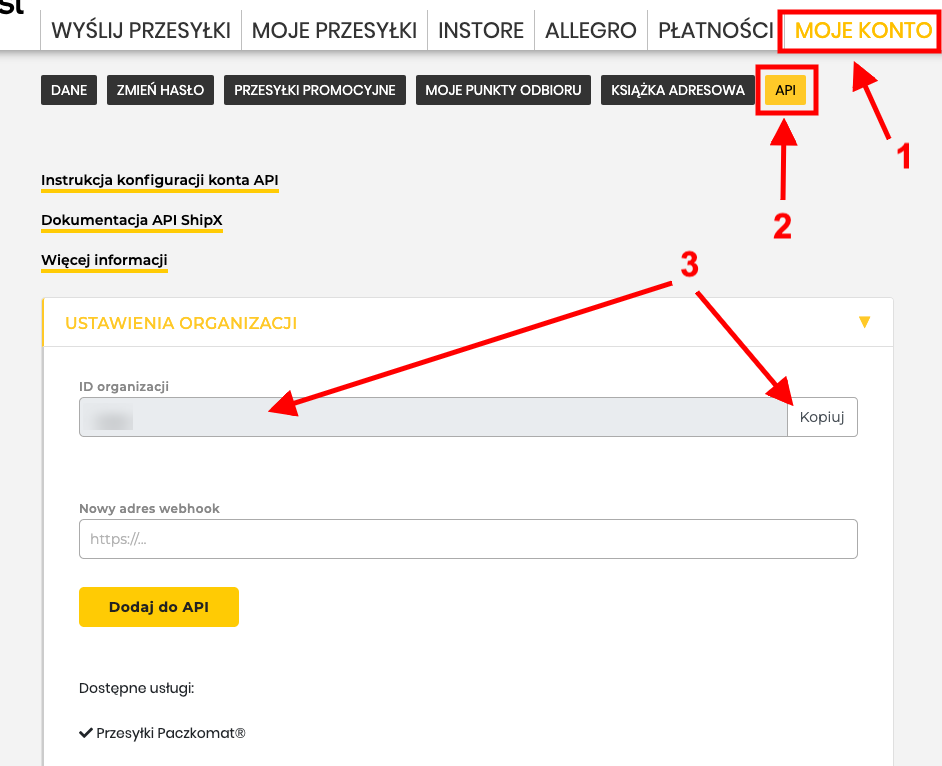
- Organisation ID
This is a number assigned by InPost in the Parcel Manager. You can find it after logging in, in the tab: “My account > API > Organisation settings”
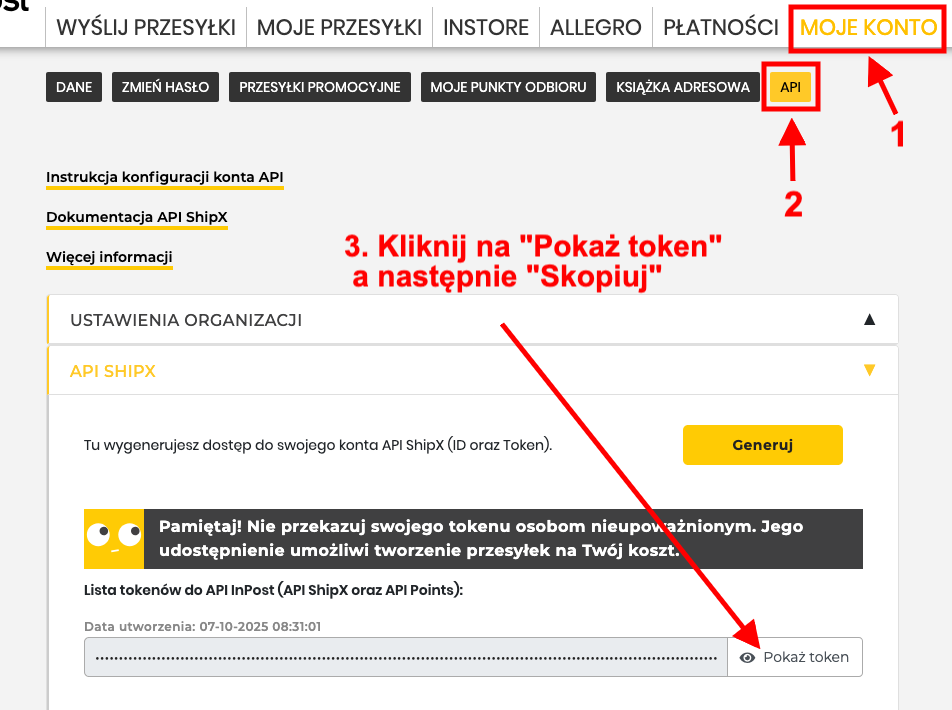
- API TOKEN
This is a string of characters generated by InPost in the Parcel Manager. You can find it after logging in, in the tab: “My account > API > ShipX API”. If you have not generated an API TOKEN yet, you can consult the instructions that describe the whole process in detail: https://inpost.pl/sites/default/files/2022-03/instrukcja-konfiguracji-api-shipx.pdf
- Default parcel size
Determines the default size of the parcel you will create.
- Default shipping method
Determines how the parcel will be sent.
Drop-off at any point - you send the parcel yourself at any Parcel Locker or PaczkoPunkt.
Courier pick-up - Additional paid option. The courier comes and picks up the parcels from you. You must create the parcel pick-up order directly in the InPost Parcel Manager.
- Default label type
Determines the type of label that will be generated for the parcel.
- Default label size
Determines the default label size that will be generated for the parcel.
Generating labels for an order
If the InPost Parcel Locker integration is enabled, a new button will be added to orders placed with delivery via a Parcel Locker, which allows you to pay for and generate a label.
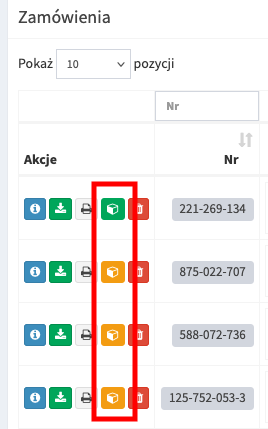
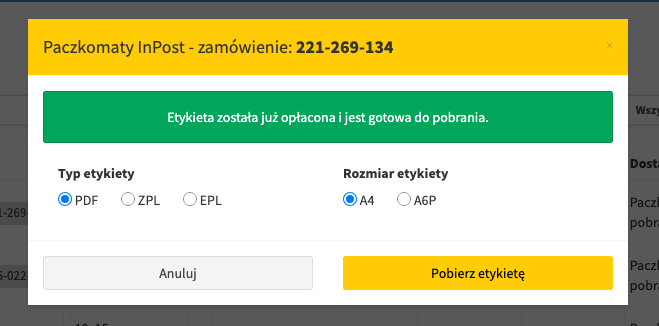
The orange colour of the button means that the label has not yet been paid for and generated, while the green colour means that it has been paid for. If you wish, you can download an already paid label at any time, e.g. choosing a different type and format.
Paying for and generating a label
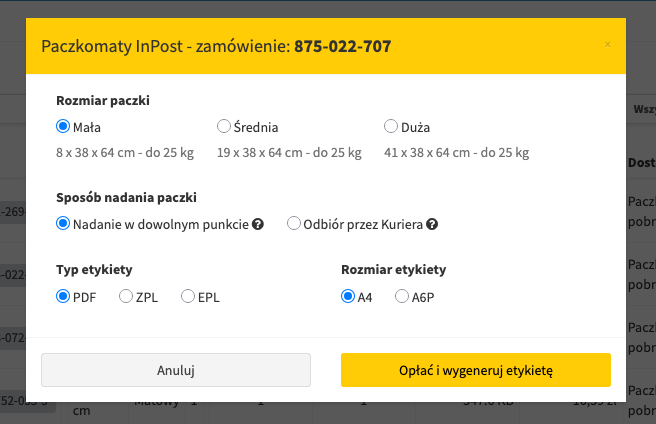
After clicking the orange button (with a box), a window will load with the default options for the parcel and label settings selected.
If we have set the default options sensibly, it is usually enough to simply click “Pay and generate label” for the process to start. If there are no errors, the label should be downloaded or displayed automatically.
In case of errors, they will be displayed in the window.
Downloading a label again
If for some reason you want to change the label format or download it again, after clicking on an already paid label (green button with a box), you can download it again, choosing the desired format or keeping the default settings.