Remarketing
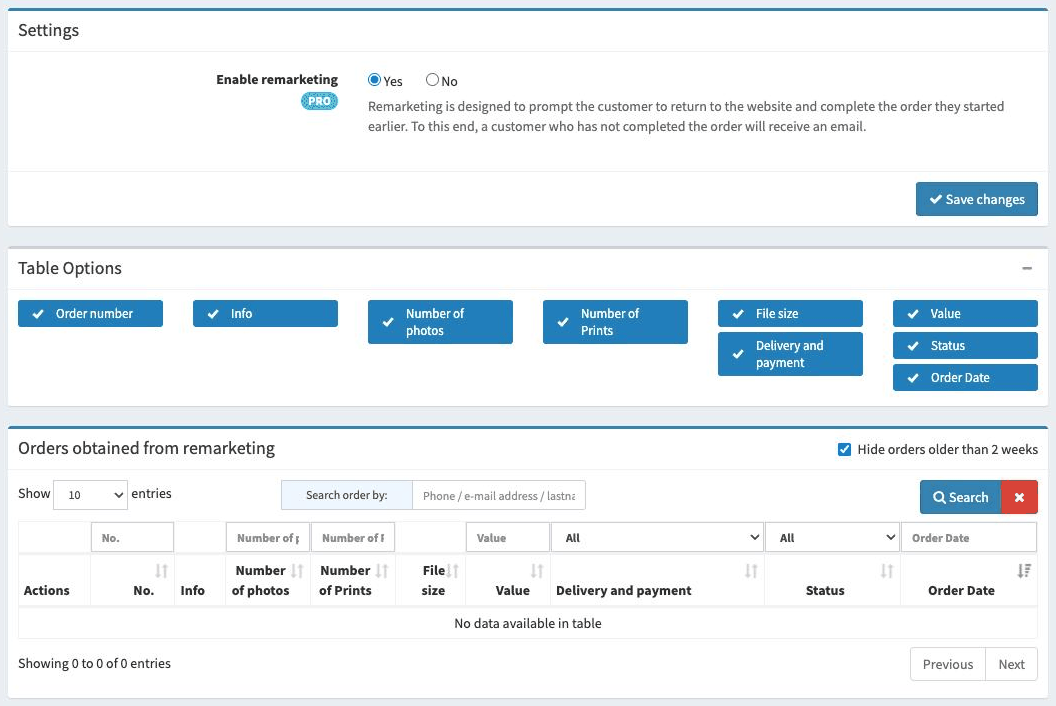
The Remarketing tab is the place where we can change the settings for abandoned order notifications and check which orders were placed thanks to such a reminder.
Remarketing is designed to prompt the customer to return to the website and complete the order they started earlier. To this end, a customer who has not completed the order will receive an email. The email will contain a link which, when clicked, will take the customer to the page where they can complete the order.
Of course, for this function to work, we must require an email address when placing the order. In addition, the customer must provide it before leaving the page. If the customer clicks the “Cancel order” button while on the page, such an order will not be taken into account.
Note
This option is only available for the PRO version of the service.
Available options
Here is a list of the available options with a short explanation.
- Enable remarketing
Determines whether an email notification will be sent to the customer when they do not complete their order.
Orders obtained from remarketing
Below the settings there is a list of orders that customers completed after receiving a reminder. It works exactly the same as the list in the Orders tab - this makes it easy to assess how many orders were “saved” thanks to remarketing.